Team Management
Build stronger teams. Deliver better service.
Manage your crew from one place — detailed staff profiles, team groups, skills tracking, and performance insights. Know who's available, who's qualified, and who's performing.
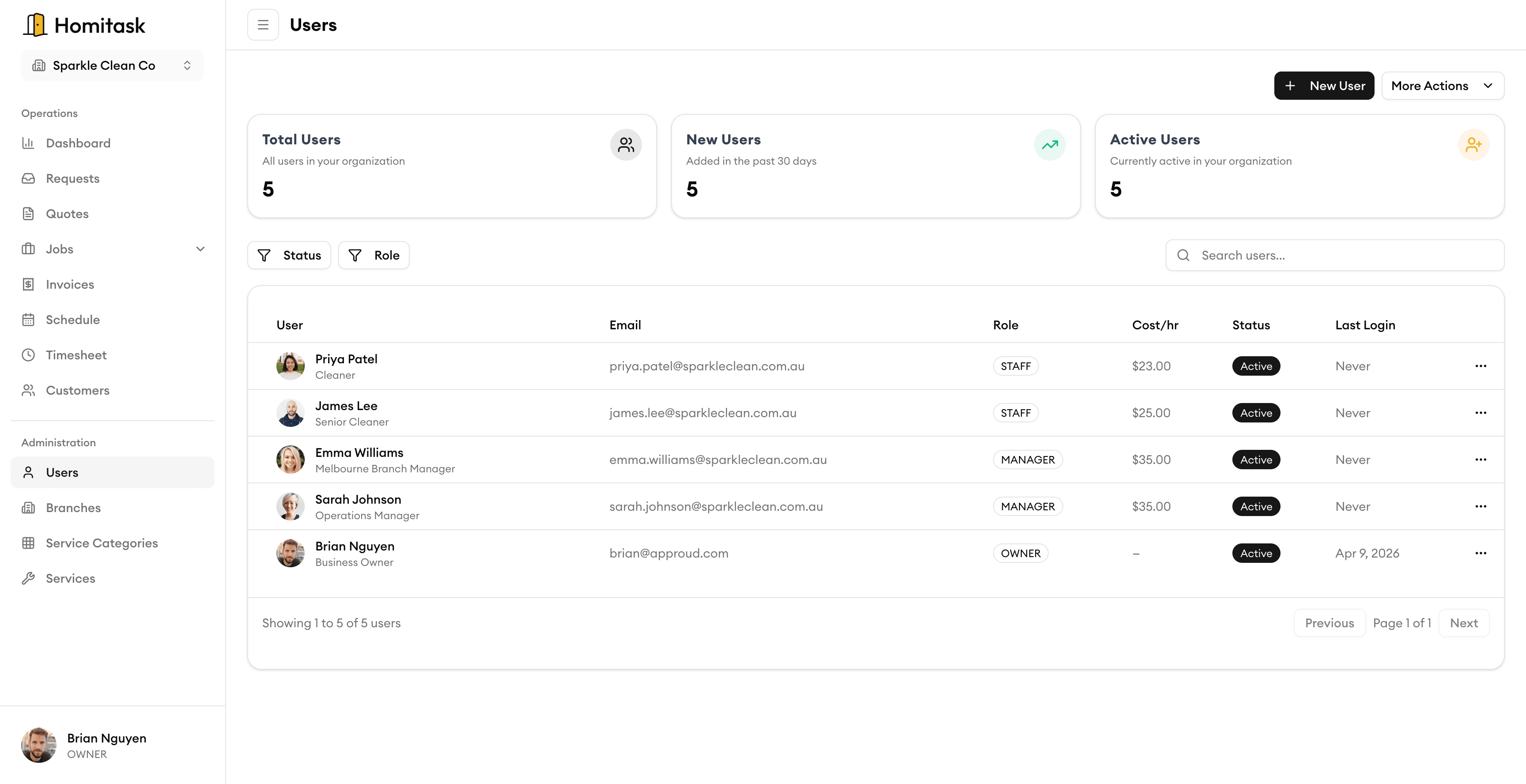
Team Overview
Your whole team at a glance
See every team member in one list — their name, role, branch, status, and contact details. Search, filter by role or branch, and quickly find anyone on your crew. Whether you have 5 people or 50, you always know who's on your team and how to reach them.
Staff Profiles
Everything about each team member in one place
Each profile captures name, email, phone, job title, employee number, labour cost per hour, hire date, and notes. Add their address, assign a role and branch, manage account security, and track activity like last login and account status — all from a single screen.
Work History
See every job a team member has completed
View a full timeline of completed jobs, hours worked, and performance notes for each team member. Spot your top performers and identify coaching opportunities with real data — not guesswork.
What our customers say

“Online booking brought in 12 new jobs in the first week. Customers love being able to book on our website 24/7.”
Karen D.
Office Manager
Volt Masters

“We doubled our revenue in 6 months after switching to Homitask. The invoicing and scheduling features are game-changers.”
Maria S.
Owner
Sparkle Clean Services

“My cleaners see their daily schedule, client notes, and directions on their phone. No more confusion or missed appointments.”
James T.
Operations Manager
FreshStart Cleaning

“So easy to use. We onboarded our entire team in one afternoon and never looked back.”
Emily C.
Team Lead
PristinePro Services

“The customer directory keeps every property's access codes, preferences, and history in one place. Our clients are always impressed.”
Tom B.
Owner
GreenSweep Cleaning
More tools to grow your business
Ready to simplify your scheduling?
Stop wasting hours on paperwork. Start scheduling smarter and get back to growing your business.
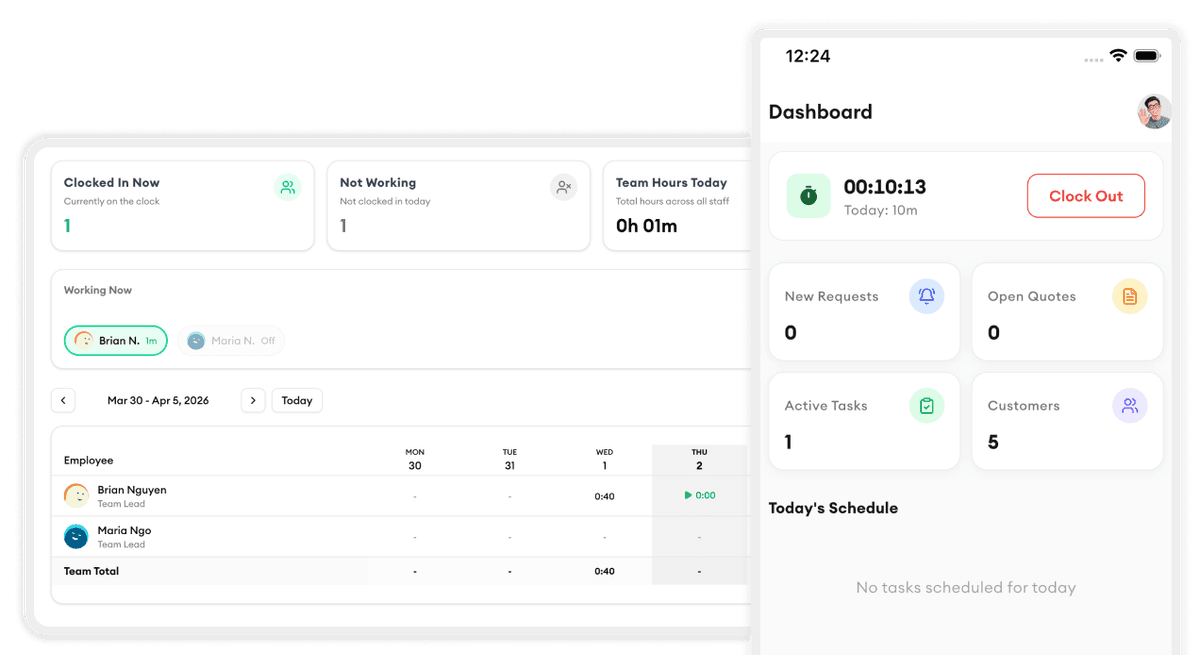
Frequently asked questions
Can I create detailed profiles for each team member?
Yes. Each staff profile includes contact info, emergency contacts, skills, certifications, role, and custom fields. You can also upload documents like contracts and training certificates.
How do I organize my team into groups?
Create crew groups based on trade, region, skill level, or any criteria. Groups make it easy to assign the right team to the right job and filter your dashboard by team.
Does it track certification expiry?
Yes. Add expiry dates to any certification or license and Homitask will send automatic reminders before they expire — so you never send an unqualified tech to a job.
Can managers only see their own team?
Yes. You can set up role-based visibility so team leads and managers only see the crew they manage, while admins have full access to everything.
Can I message my team through Homitask?
Yes. Send messages to individuals, groups, or your entire team directly from the app. All communication is logged and accessible from one place.
Is there a free trial?
Yes. Homitask offers a 14-day free trial with full access to all features, including team management. No credit card required.