Task Status Tracking
Know where every job stands. Instantly.
Track every task from the moment it's created to the moment it's done. Real-time status updates keep your office and field teams on the same page — no more phone calls to check on progress.
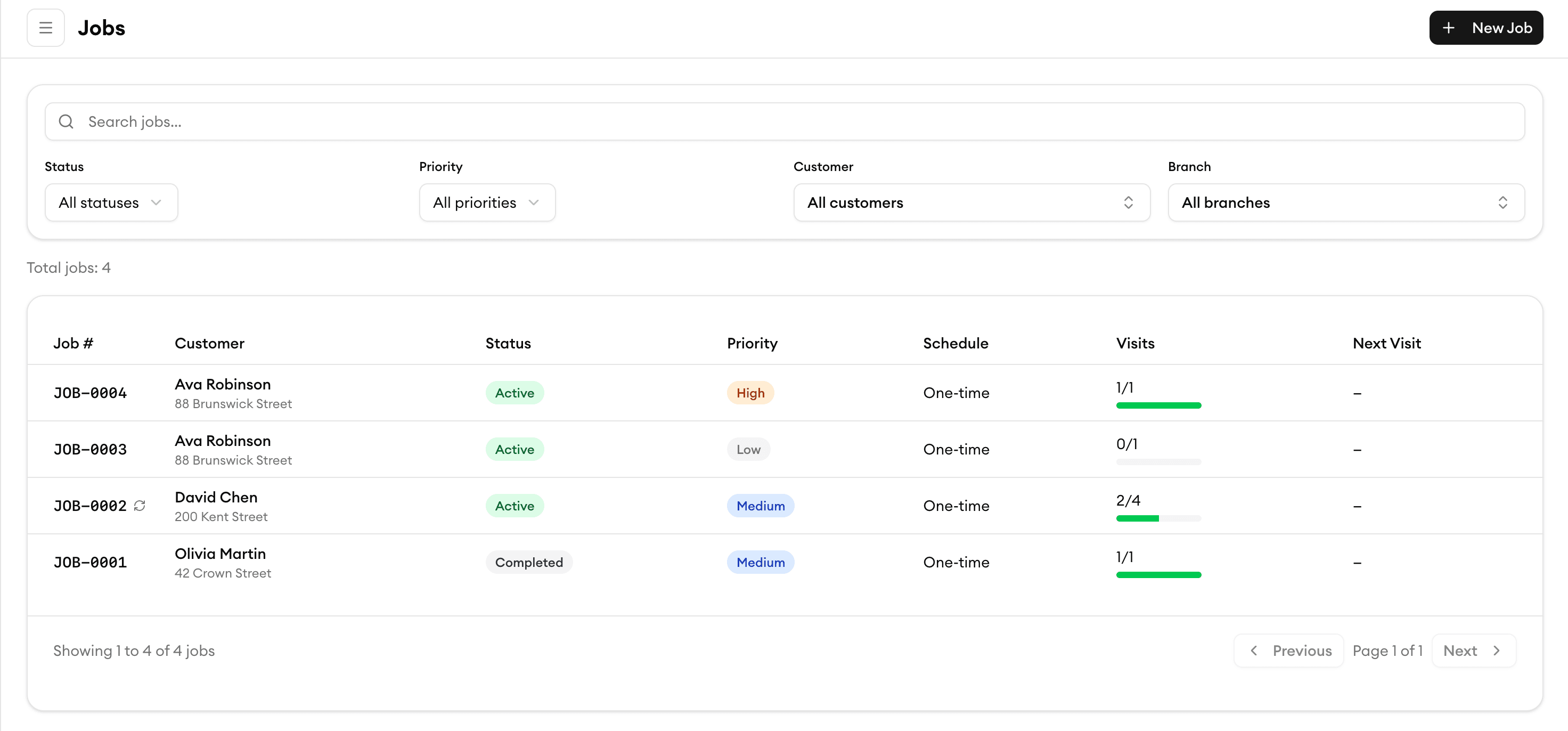
Real-Time Updates
See status changes the moment they happen
When your crew updates a job in the field, your office sees it instantly. No refreshing, no waiting. Live status updates flow across every device so everyone knows exactly what's happening right now.
Custom Workflows
Build status workflows that match how you work
Every business is different. Create custom status stages — from 'Quoted' to 'Parts Ordered' to 'Follow-Up Needed' — that reflect your actual process. Drag and drop to reorder stages anytime.
Team Visibility
Give your whole team a clear picture
Managers see the big picture with board and list views. Field crews see their own tasks with clear next steps. Everyone gets the right level of detail without information overload.
Job History
A complete timeline for every job
See exactly what happened and when — every status change, note, photo, and update in a single timeline. Perfect for resolving disputes, tracking delays, and improving your process over time.
What our customers say

“My plumbers love the mobile app. They see the schedule, job details, and directions — no more calls back to the office.”
Peter W.
Owner
PipeMaster Pro

“Customer management finally makes sense. We know every property's service history before we even knock on the door.”
Priya P.
Operations Manager
DrainRight Services

“We stopped losing quotes in email threads. Now everything is in one place and we close jobs twice as fast.”
Robert C.
Owner
BrightWire Electric

“Task assignment with skill matching means we never send the wrong electrician to a job. That alone is worth the price.”
Angela M.
Owner
Spark Electric Co.

“The team timesheet feature ended all the payroll headaches. My guys clock in on their phone and I export to payroll in one click.”
Carlos R.
Field Supervisor
PowerLine Pros
More tools to grow your business
Job Scheduling
Drag and drop to schedule jobs, assign your crew, and track everything in real-time.
Learn moreMobile App
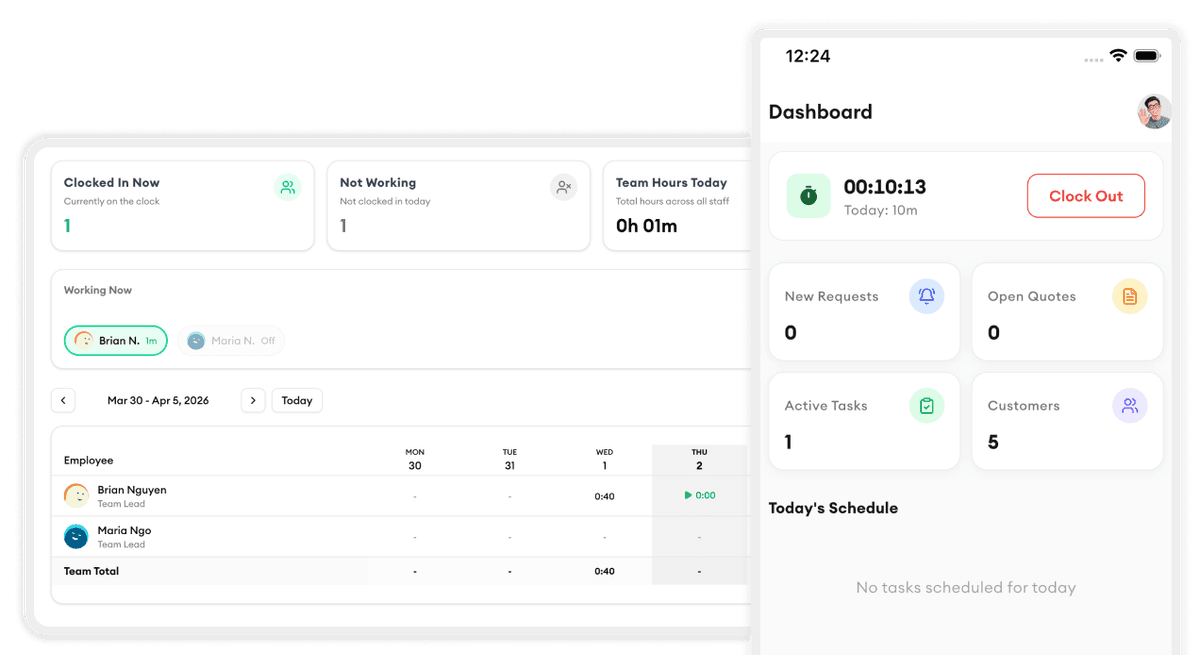
Your crew updates job status, adds photos, and logs time right from their phone.
Learn moreNotifications
Get instant alerts when a job status changes, a task is overdue, or action is needed.
Learn moreReporting & Analytics
Track completion rates, average job duration, and bottlenecks across your workflow.
Learn moreReady to simplify your scheduling?
Stop wasting hours on paperwork. Start scheduling smarter and get back to growing your business.
Frequently asked questions
Can I create custom job statuses?
Yes. You can create as many custom statuses as you need — for example, 'Quoted,' 'Scheduled,' 'Parts Ordered,' 'In Progress,' 'Pending Review,' and 'Completed.' You can rename, reorder, and color-code them to match your workflow.
How do field crews update job status?
Your crew uses the Homitask mobile app to update status with a single tap. They can also add notes, photos, and time logs at each stage. Updates sync instantly so the office always has the latest information.
Can status changes trigger automatic notifications?
Yes. You can set up rules so that when a job moves to a specific status, notifications are sent automatically — to your team, your office, or even your customers via email or SMS.
Is there a way to see all jobs in a specific status?
Absolutely. Use the board view to see jobs grouped by status, or use filters in the list view to show only jobs in a particular stage. You can also save custom filter views for quick access.
Can I track how long a job stays in each status?
Yes. Homitask records timestamps for every status change. The reporting dashboard shows average time in each stage so you can identify bottlenecks and improve your turnaround times.
Does task status tracking work offline?
Yes. Your crew can update job statuses on the mobile app even without internet. Changes sync automatically when they reconnect, so nothing is lost in the field.