Daily Time View
See where every hour goes, every day.
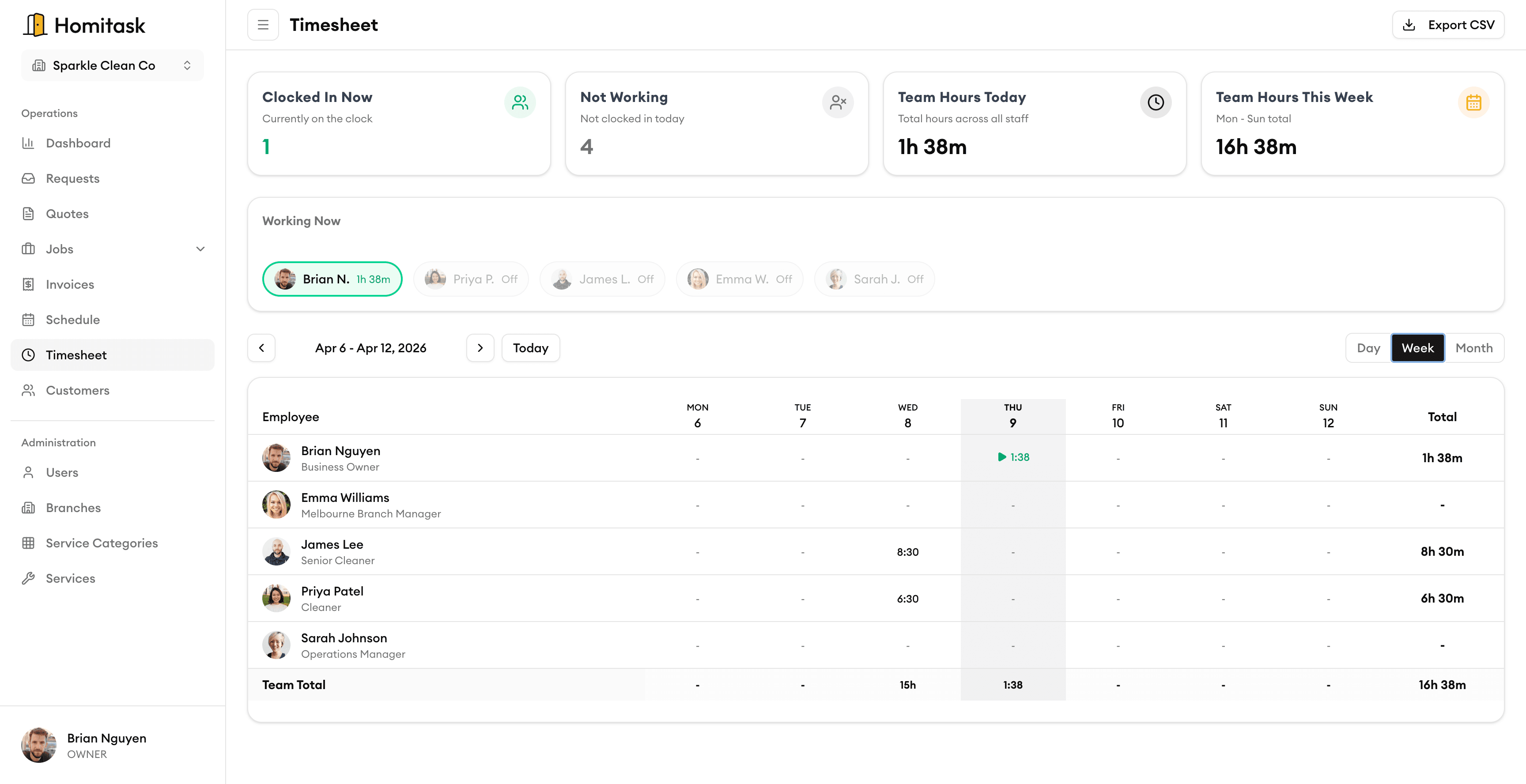
Get a clear daily breakdown of your team's time — by technician, by job, by billing type. Know exactly how your crew spent the day without chasing timesheets.
Daily Summaries
One-glance daily time summaries
See a complete overview of each day's logged hours across your entire team. Quickly spot trends, identify overtime, and make sure no time goes unaccounted for — all from a single screen.
Per-Tech Breakdown
Know exactly how each technician spent their day
Drill into individual technician timelines to see which jobs they worked, how long each one took, and where their time went. Perfect for coaching, payroll, and performance reviews.
Daily Totals
Daily totals that add up without the math
Homitask tallies total hours per technician, per job, and per day automatically. Compare daily totals side by side to spot patterns, plan capacity, and keep labor costs on track.
Export Options
Export time data however you need it
Download daily time reports as CSV or PDF with one click. Filter by date range, technician, or billing type before exporting — ready for payroll, invoicing, or your accountant.
What our customers say

“Task assignment with skill matching means we never send the wrong electrician to a job. That alone is worth the price.”
Angela M.
Owner
Spark Electric Co.

“The team timesheet feature ended all the payroll headaches. My guys clock in on their phone and I export to payroll in one click.”
Carlos R.
Field Supervisor
PowerLine Pros

“Online booking brought in 12 new jobs in the first week. Customers love being able to book on our website 24/7.”
Karen D.
Office Manager
Volt Masters

“We doubled our revenue in 6 months after switching to Homitask. The invoicing and scheduling features are game-changers.”
Maria S.
Owner
Sparkle Clean Services

“My cleaners see their daily schedule, client notes, and directions on their phone. No more confusion or missed appointments.”
James T.
Operations Manager
FreshStart Cleaning
More tools to grow your business
Mobile Clock In/Out
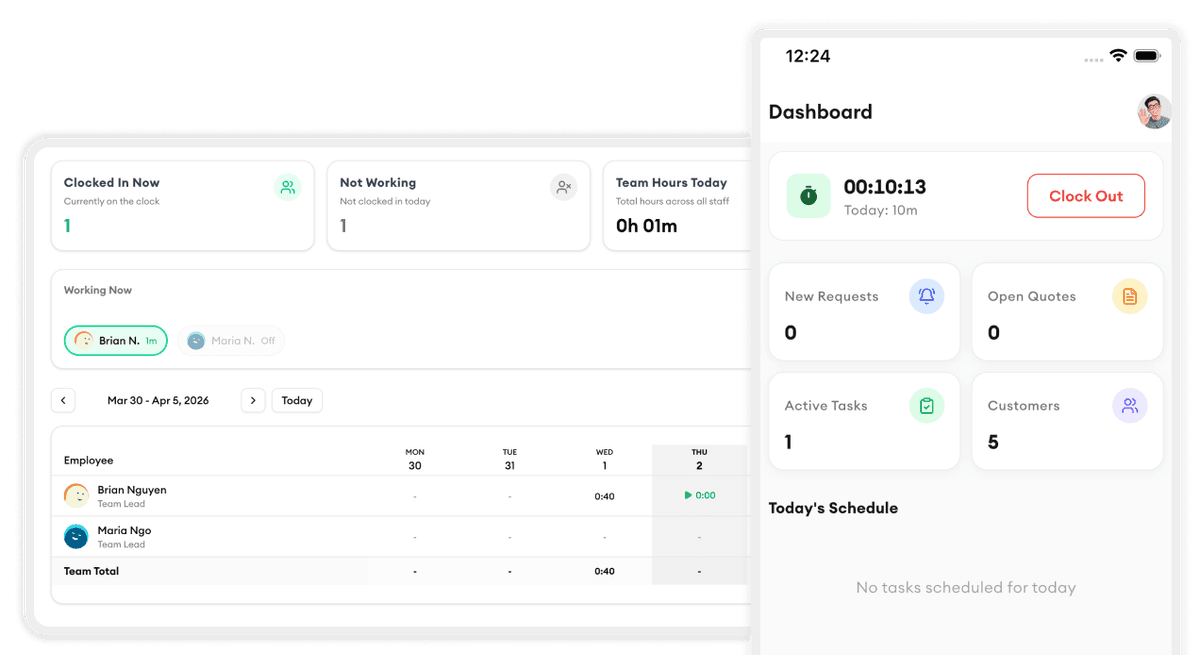
Your crew clocks in and out right from their phone with GPS verification.
Learn moreReady to simplify your scheduling?
Stop wasting hours on paperwork. Start scheduling smarter and get back to growing your business.
Frequently asked questions
How does the Daily Time View pull in time data?
Daily Time View automatically aggregates clock-in/out records and job time logs from your team's mobile app. There is nothing extra to set up — as soon as your crew logs time, it appears in the daily view.
Can I see time for a single technician?
Yes. You can filter the daily view by any individual technician to see their full timeline, including which jobs they worked, break times, drive time, and total hours for the day.
How are billable and non-billable hours categorized?
Homitask automatically categorizes time based on the job type and activity. Drive time, breaks, and admin tasks are marked non-billable by default. You can customize these rules to match your billing practices.
Can I export daily time data for payroll?
Yes. Export daily or weekly time reports as CSV or PDF with one click. You can filter by date range, technician, or job before exporting to get exactly the data your payroll system needs.
Does it work with overtime calculations?
Yes. Homitask tracks daily and weekly hour totals and flags overtime automatically based on your configured thresholds. Overtime hours are highlighted so you can review them before approving payroll.
Is there a free trial?
Yes. Homitask offers a 14-day free trial with full access to all features, including Daily Time View. No credit card required.